Response Records
Response records are every single submission a quiz received, under the quiz's Records tab. This is the raw data — for aggregate trends, go to Insights.
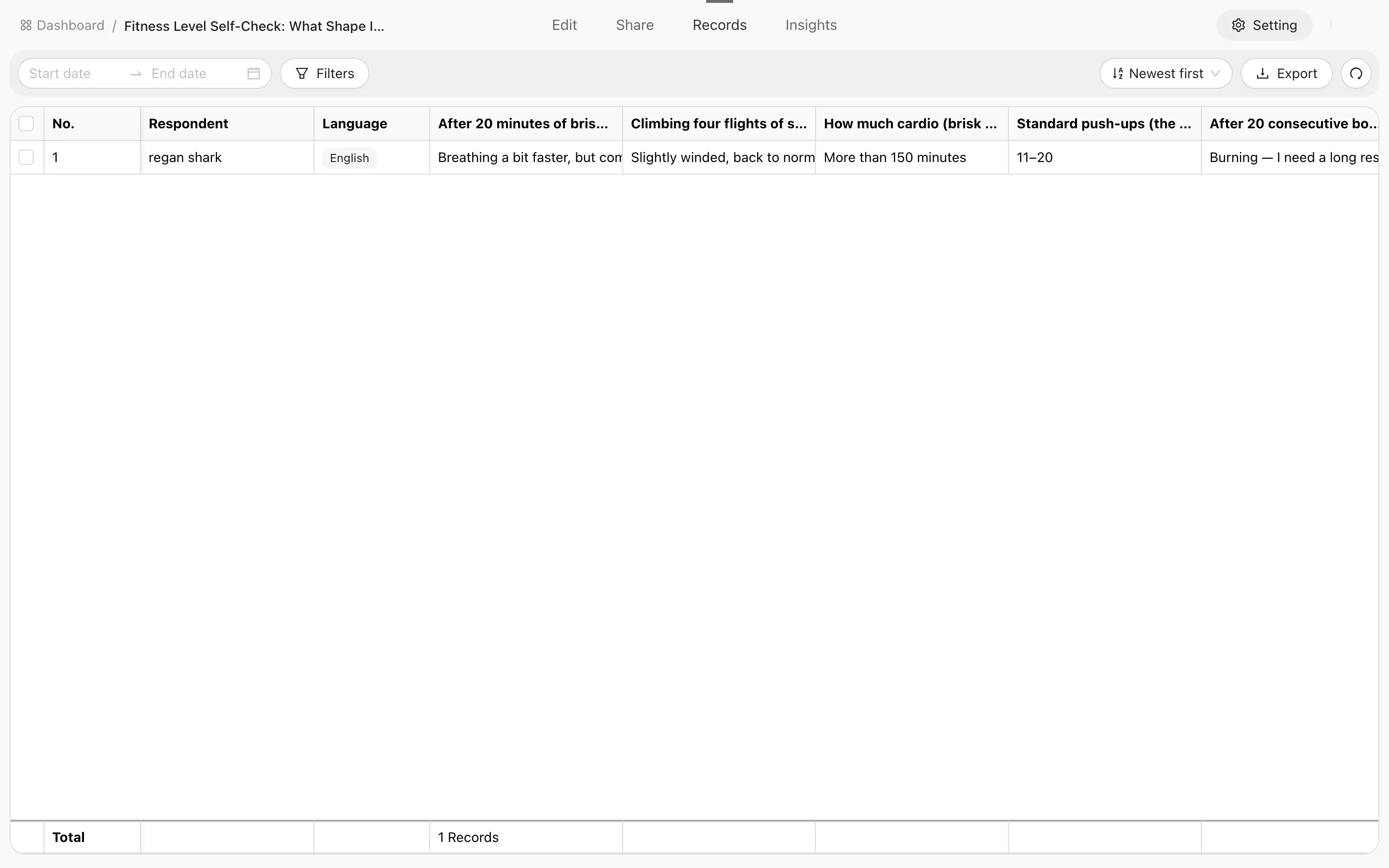
Filters
Click Filters to open the builder and stack conditions (they're ANDed together):
| Field | Notes |
|---|---|
| By question | Filter on the answer to a specific question; choice questions support "is any of / is none of / is empty / is not empty" |
| Respondent | Submissions from one person |
| UTM source | Which channel they came from, paired with UTM tracking |
| Score | A numeric range (is between a min and max) |
| Level | Which report level they landed in |
| Language | Which language version they answered in |
| Lead status / Assignee | Filter by the lead's follow-up status or owner |
| Submitted at | A start and end date |
Hit Apply when the conditions are set, or Clear all to start over.
There's no board view here — the board lives on the Leads page. The two answer different questions: records are submissions, leads are people.
A single record
Open any row and the detail splits in two:
- Left — the answers question by question with their scores, plus the report.
- Right — a follow-up sidebar for this person as a lead: change the status, write comments, and read the merged activity timeline.
In other words you can do the follow-up while reading the response, without hopping to the leads page.
Comments support replies, and you can delete your own. They're the same comments as on the lead detail page — both places show one shared thread.
What a record contains
Beyond the answers themselves, a record usually carries:
- Record number — an incrementing number within the quiz.
- Respondent — only present when they were signed in; blank for anonymous submissions.
- Source — recorded when they arrived through a UTM link.
- Submitted at, language version, score and level.
Exporting
Export on the toolbar handles either the rows you selected or everything matching the current filters. A full export uses your weekly quota — see Exporting data.
Exported data may contain personal information respondents provided. Handle it according to your organization's privacy and compliance rules.
Overview
Every response lands in the dashboard: browse individual records, read aggregated insights, generate reports with AI evaluation, and export the data — plus how all of this differs from Leads.
Insights
Insights aggregate scattered responses into stats and charts — completion rate, submission volume over time, per-question distributions — so you can read the big picture without opening records.